Guide, for the Deal team
Invite investors to a raise
Clear the readiness checks, then invite people from your contacts, a pasted list or by hand, each into the right group.
Check the raise is ready to be seen
Open Raise steps. At the foot of Do this next, Ready to show investors counts the checks; open it for a link to each gap: choose what you are offering, set how much you are raising and the price or valuation cap, set the minimum investment, publish the company page, add the subscription agreement, memo, model and cap table, and give an investor group access to a folder. When it reads that terms, documents and access are all in place, the room is ready.
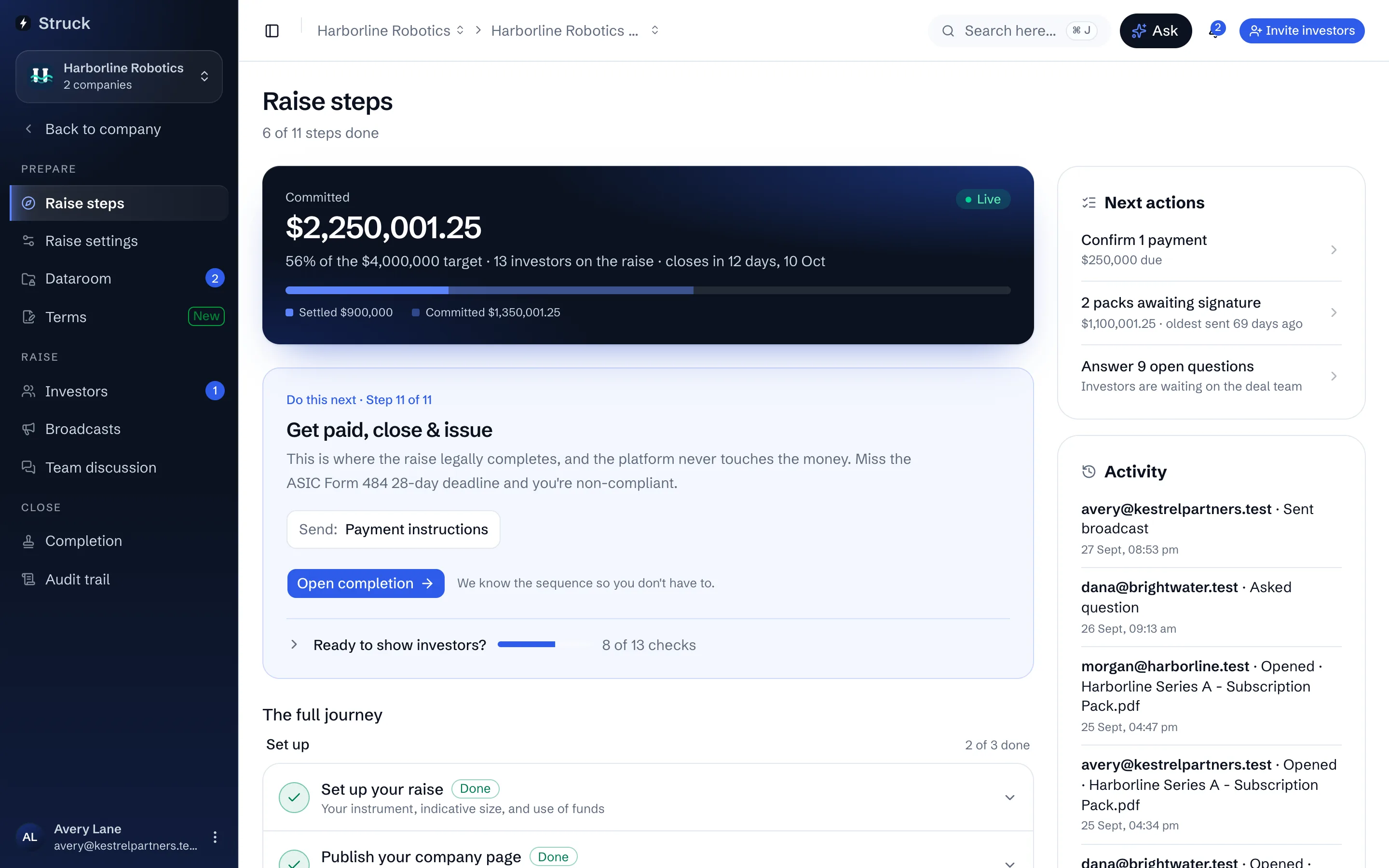
Open the invitation dialog
Press Invite investors. It is in the header on every raise screen and on All investors. Choose how to add people: From your contacts searches the investors your firm or company already knows, Paste a list takes names and emails one per line, and Add manually takes a single Full name and Email.
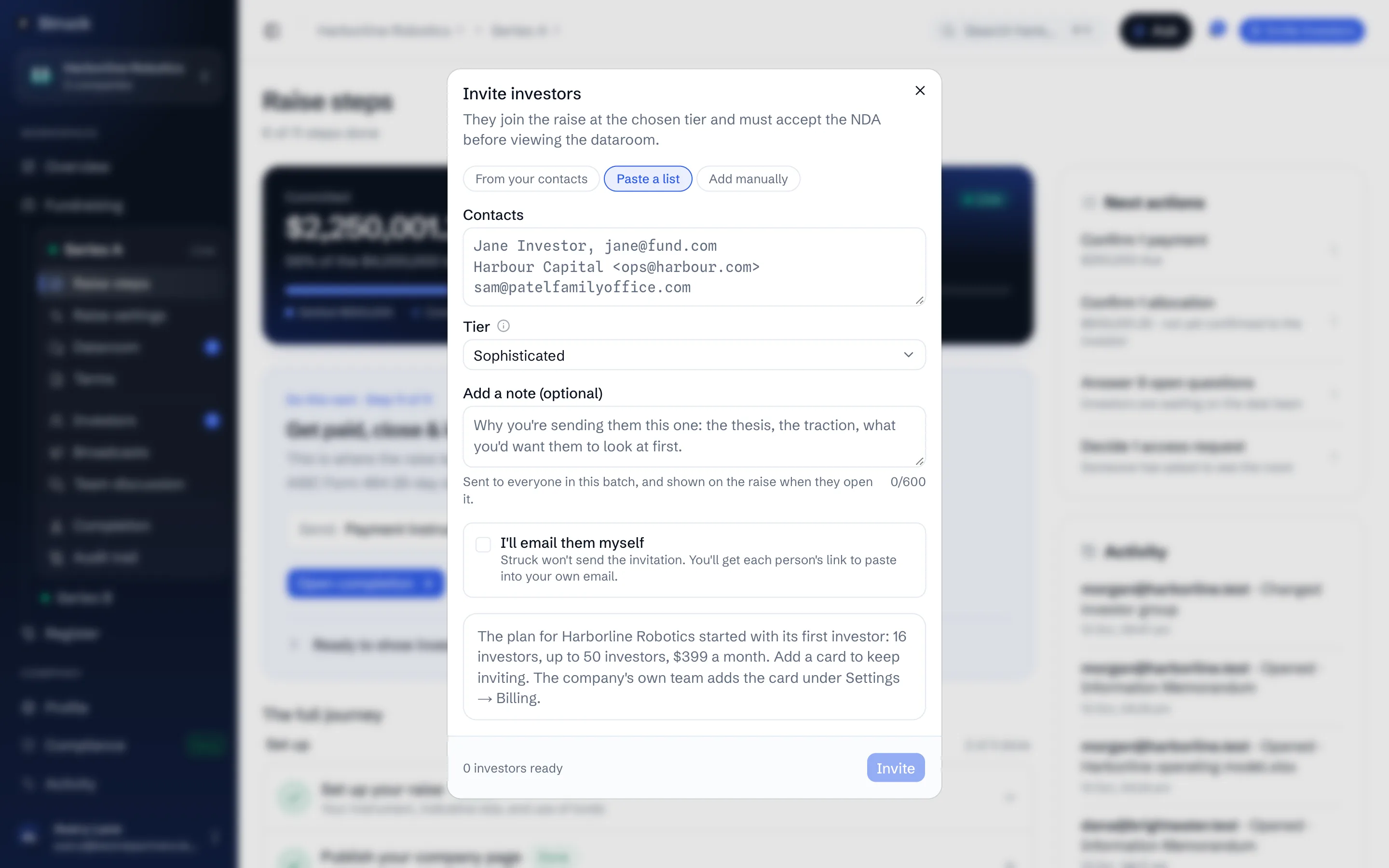
Choose the tier
Tier is the investor group the invitee joins, and the group decides which folders they can open; you can move them to another group later, on the dataroom's Access tab. Most raises invite into Sophisticated, and any group you made, such as one for a single firm's team, is listed too. The group only decides access: whether an investor counts against the small-scale caps comes from their certificate.
Write the note
Add a note (optional) goes to everyone in the batch and is shown on the raise when they open it. Say why you are sending them this one: the thesis, the traction, what you would want them to read first. Then press Invite.
Inviting the first investor starts the company's plan, with 14 days to add a card, and moves the raise from Draft to Open. Both are said in the dialog before you press it.
Know what the investor receives
Each invitee gets an email that shows in their inbox as from you via Struck, headed You're invited, naming the company and the close date, with your note beneath and a Review the invitation button. A reply to it comes to your own email address. Someone without an account registers with their email already filled in and lands on the raise overview; someone with one lands straight there.
Or send the invitation yourself
To send it from your own email instead, tick I'll email them myself before pressing Invite. Struck emails nobody, and the dialog lists each person with Copy link, or Copy all for the whole batch, to paste into your own email. The invitation is logged exactly as one Struck emails. The link is personal: it opens the raise only for an account under that person's email address, so a forwarded copy lets nobody else in. To copy it again later, use Copy invite link beside them on the Progress tab, or under Raises when you open them in All investors. Anyone who hasn't opened theirs is reminded after 3, 7 and 14 days, from you via Struck, while Chase investors automatically is on for the raise.
Keep the offer personal
An offer that uses even one small-scale slot must be made to named people. Each invitation is logged, and that log is the evidence the offer was personal. The Or share a link section of the dialog is not a second kind of invitation: whoever holds the link can only ask to join, and asking grants nothing until you invite them. It appears only on a wholesale-only raise, because a link anyone can open is publicity for the raise, and publicising a raise that may use a small-scale slot is an offence.
Follow who has opened, accepted and read
The Progress tab under Investors lists everyone invited; its funnel view follows each person from Invited through Opened invite, NDA signed, In dataroom, Indicated, Allocated, Signed and Paid, and names where the rest stopped. Use Broadcasts to update everyone already on the raise at once.
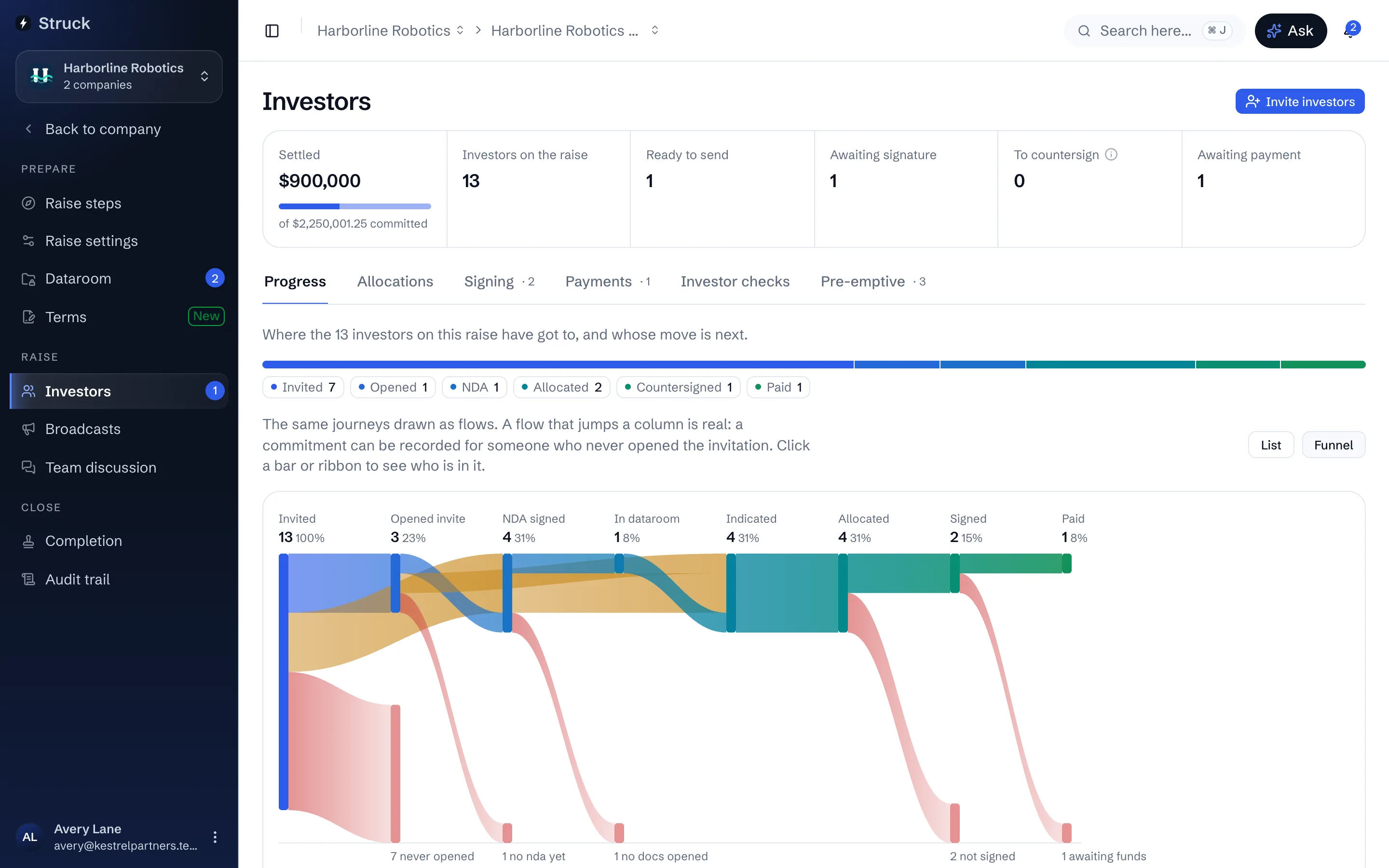
Read next
- Personal offers and outreachHow it works
- How a raise runs, start to finishHow it works
- Broadcasts to the raiseHow it works
- The raise landing investors arrive atHow it works