Guide, for the Company
Keep the register current
Record an issue, a transfer, a buy-back or a cancellation, and correct a mistake without rewriting history.
Where: Company hub, Register
Know the two tabs
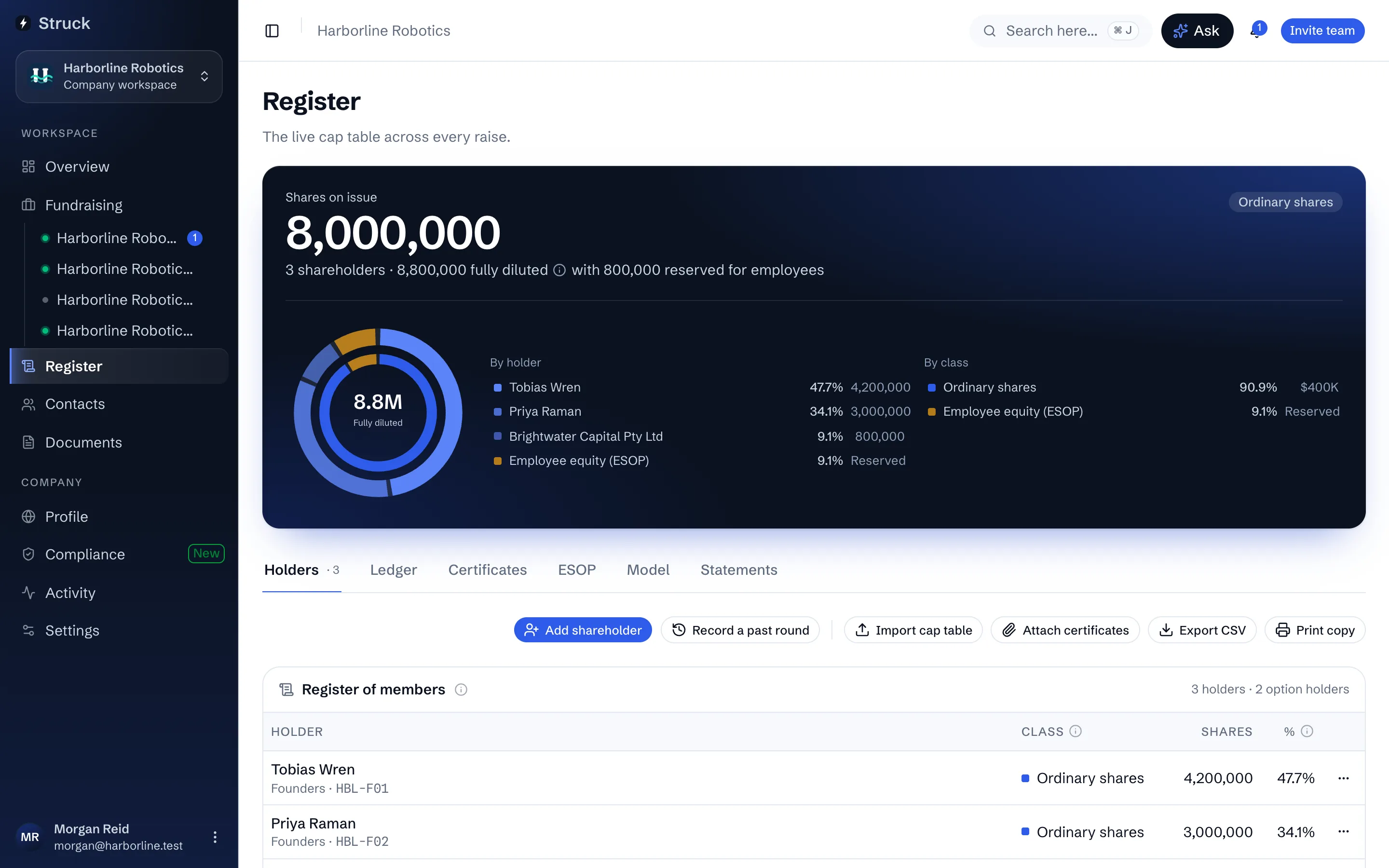
Holders is the register of members as it stands: every holder, class and parcel. Ledger is the append-only record behind it, every transaction in order, kept forever and never edited. The register is what the ledger adds up to, so a change is always a new ledger entry, never an edit to an old one.
Add a new shareholder
Press Add shareholder. Who they are to the company says whether the holder is a founder, employee, investor or other; only investors count toward your plan. Origin decides what is recorded: Opening balance from before Struck for a holding that predates the platform, or New allotment for shares issued now. Then the parcel: Shares, Price per share, Amount unpaid, Share class, Round, Certificate number (blank mints the next one) and Issue date. Save and add another keeps the dialog open for the next holder.
Record a past round
Press Record a past round for a raise the company ran before Struck. Give it a Round name, a Type (Raise, Incorporation for the founding shares taken up on registration, or Other), the Date, the Issue price / share, the Share class and, optionally, the Pre-money valuation. Then either Add new shares, to list who took up shares in it, or Use shares on the register, when the holdings are already there from an import.
Use shares on the register asks how many of each holder's shares came in at that round. Part of a holding moves onto its own certificate with the round's date and price; a whole holding keeps its certificate. The same Add shares already on the register button sits on every past round in the Rounds table, so an imported cap table can be sorted into its rounds one round at a time. The ledger records the move without counting it as new shares.
Record a transfer, buy-back, split or consolidation
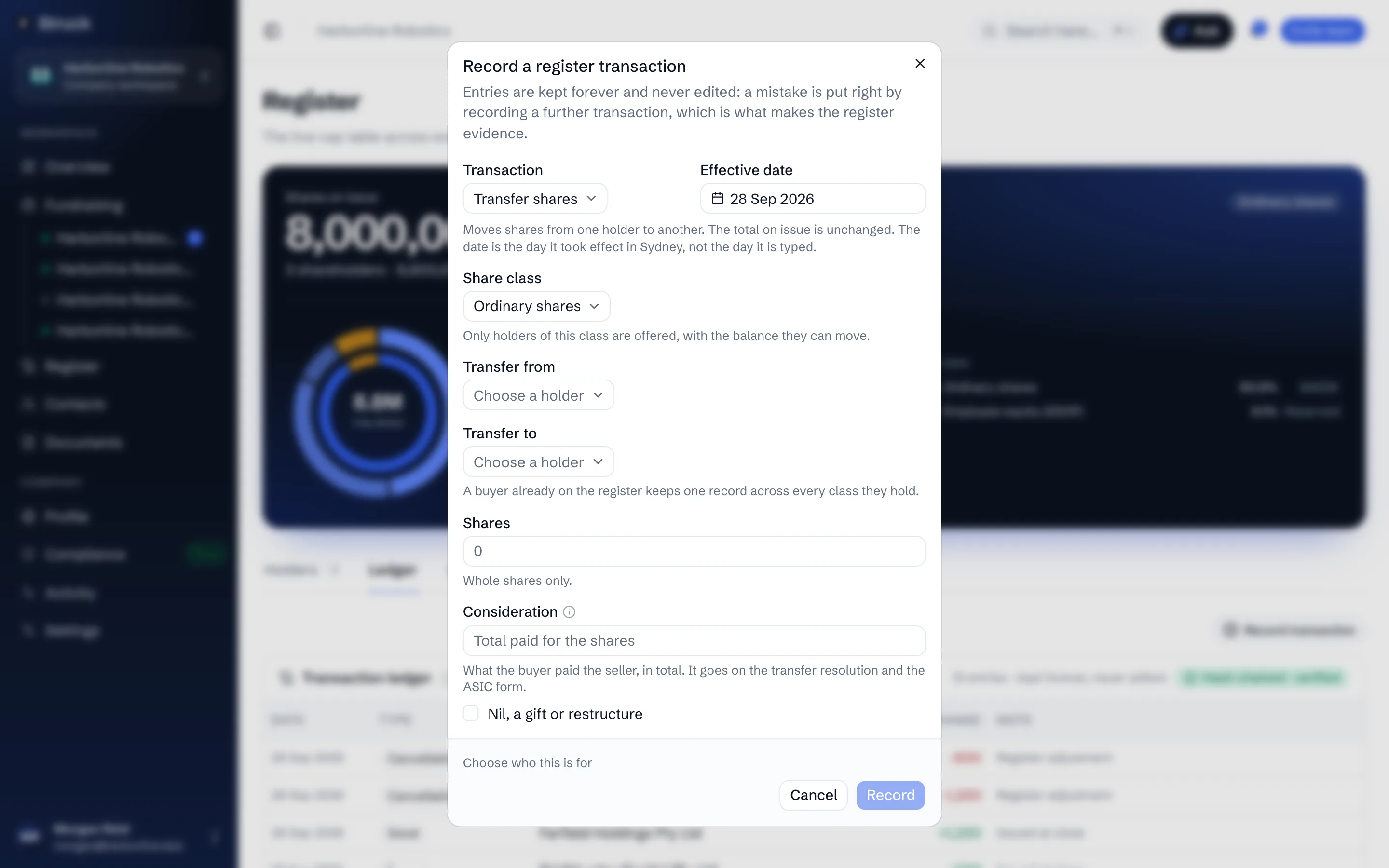
Open the Ledger tab and press Record transaction. Choose the Transaction: Issue new shares, Transfer shares, Buy back shares, Cancel shares, Split shares or Consolidate shares. Set the Effective date, the Share class and the holders involved, then Shares and Price per share. The dialog previews what recording will do before you press Record.
A transfer also asks for the paperwork: that the signed instrument of transfer has been received, that the directors approved it, and that any pre-emptive rights in the constitution were complied with or waived.
Correct a mistake
Edit holding on a row corrects a name, class, round or certificate detail in place, and the holder's details: how they hold (individual, company, trust or SMSF), a trust's trustee, their email and their address. Once the holder has signed in to Struck, or another company shares their record, details already on it can only be changed by them. A changed share count is filed in the ledger as an issue or a cancellation, and the dialog says which before you save. Merge into another holder tidies a person who was imported twice. Take off register cancels a whole parcel with a Reason and an Effective date; the cancellation stays in the ledger permanently.
Certificates
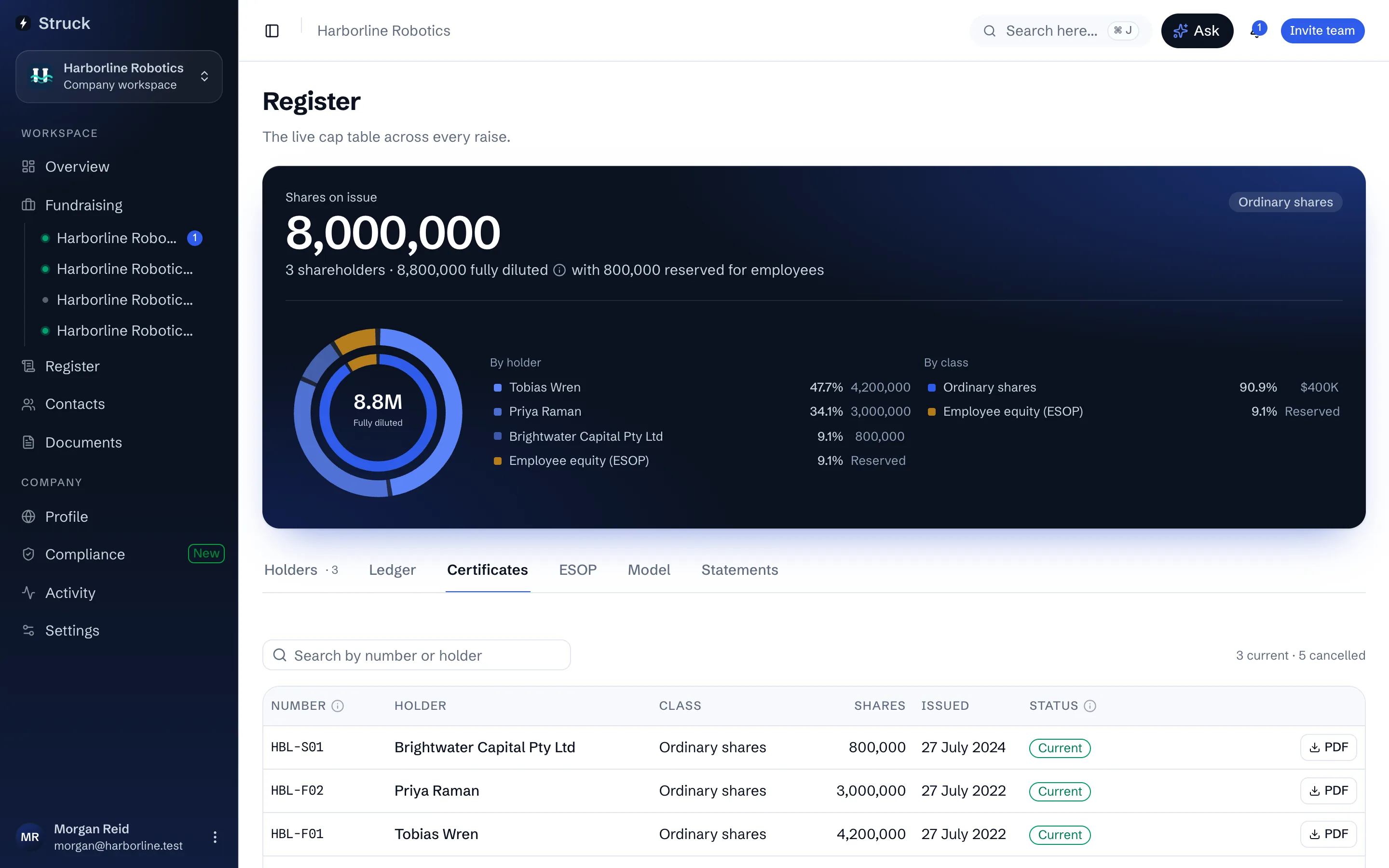
Each parcel's certificate number opens its certificate. The Certificates tab lists every number the company has minted, current or cancelled, with a search by number or holder and a Replaced by trail when a parcel changed hands. Attach a signed paper certificate to a parcel where one exists.
What shareholders see
Each holder reads their own line under Holdings, with the certificate to download. A shareholder who is not on the register yet can declare a holding from their side; it lands on your register under Shareholders claiming a holding, where you confirm it, link it to an existing line, or say you do not recognise it.
Read next
- The register of membersHow it works
- Year-end holding statementsHow it works
- Your holdingsHow it works