Guide, for the Company
Post an investor update
Send news to everyone on the register, or to everyone with access to the company profile.
Where: Company hub, Updates
Open Updates
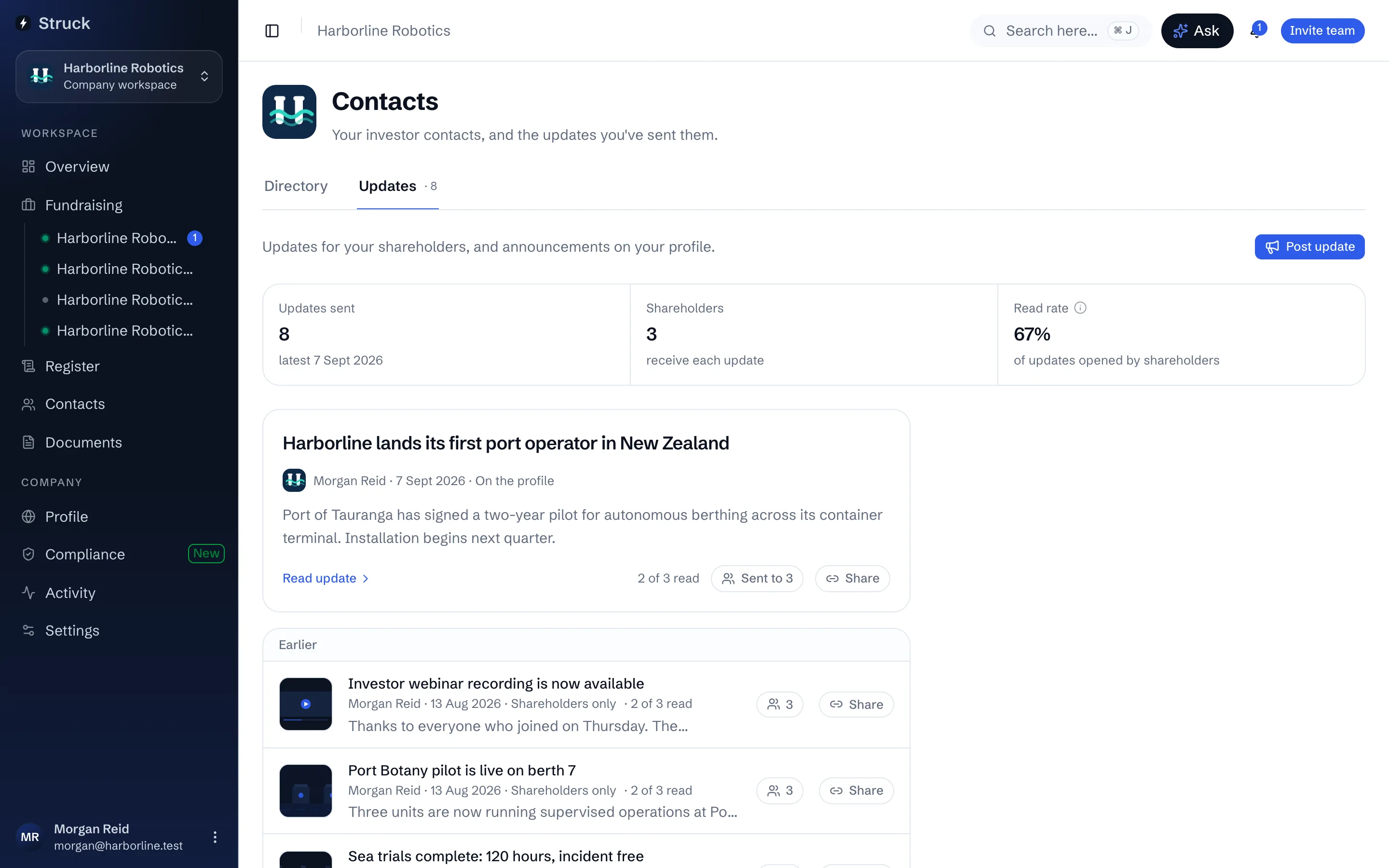
The company's Updates screen lists what has gone out, how many shareholders receive each update, and the read rate. Recipients are every current holder on the register, so keeping the register current is what keeps the audience right.
Write the update
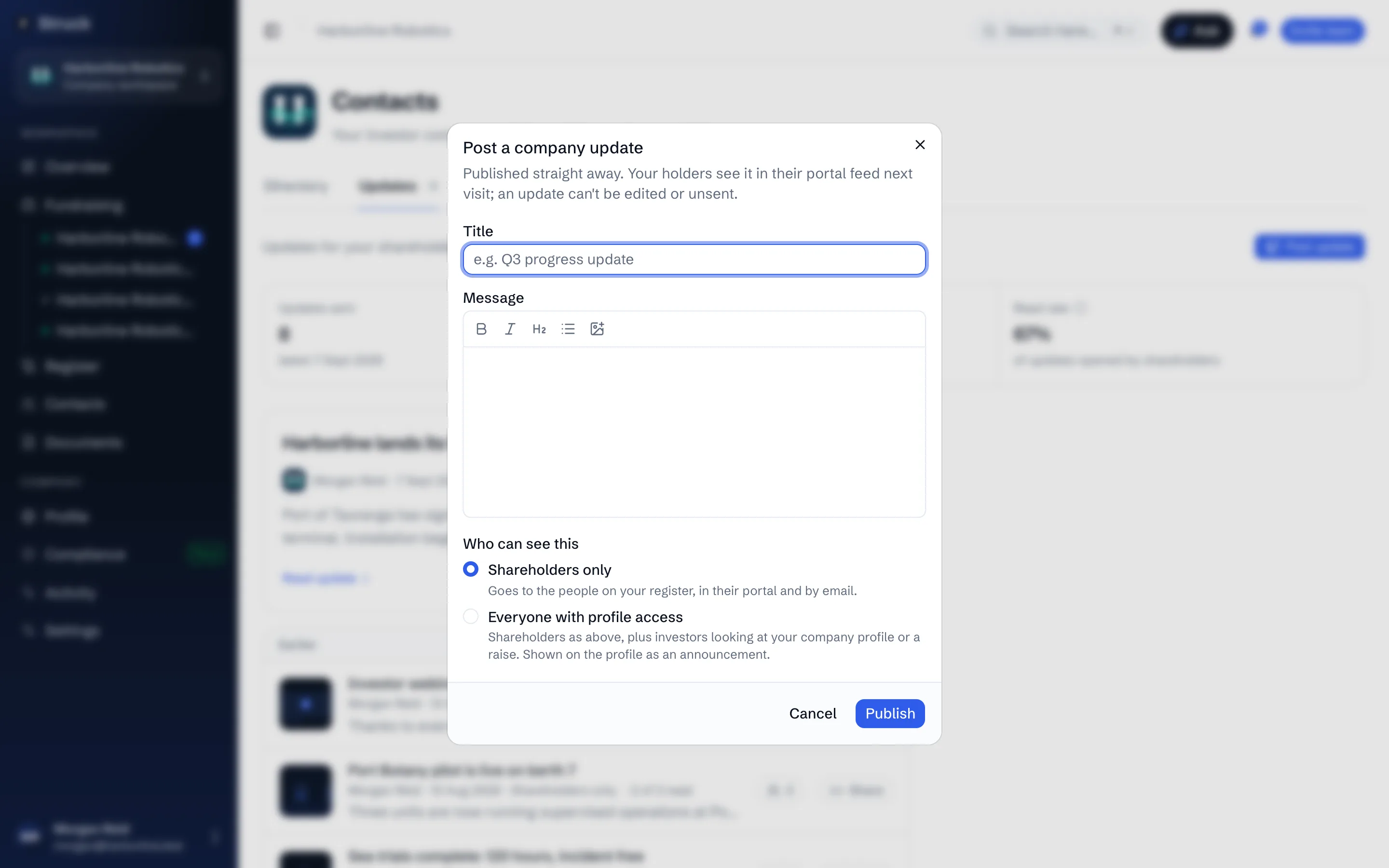
Press Post update. Give it a Title and a Message; the message takes formatting. Under Who can see this choose Shareholders only, which goes to the people on the register in their portal and by email, or Everyone with profile access, which also shows it as an announcement on the company profile and emails it to the company's followers while its public page is on.
Publish
Press Publish. An update is published straight away, cannot be edited and cannot be unsent, and the dialog says so before you press it. Holders see it in their portfolio under Updates on their next visit, and opening it marks it read, which is where the read count comes from.
An update is company news to its holders. A message to the investors on one raise is a broadcast, sent from that raise's Broadcasts screen instead.
Share it publicly, if you want to
Press Share on a published update and then Create link. Anyone with the link can read that one post under the company's name, with nothing about any raise on the page and no way to ask to invest, and the link is copied for you. While the company has a raise in progress that can take investors without a prospectus, you first tick that the update doesn't mention a current or planned raise or invite anyone to invest, and words worth a second look are pointed out. Stop sharing takes the page down.
Publicising a raise that can take investors without a prospectus is an offence, even in passing, which is why the page never names one and why the question is asked. Keep a shared update to company news.
Read next
- Investor updatesHow it works
- Broadcasts to the raiseHow it works
- The company profileHow it works