Guide, for the Deal team
Start a raise
Create the raise from Fundraising in the company's sidebar, choose the instrument and the size, and land on Raise steps.
Where: Company hub, Raises
Open Fundraising
In the company's sidebar choose Fundraising. Its Raises screen lists every raise the company has run on the platform, each with its status and progress against target, and it is where the New raise button lives.
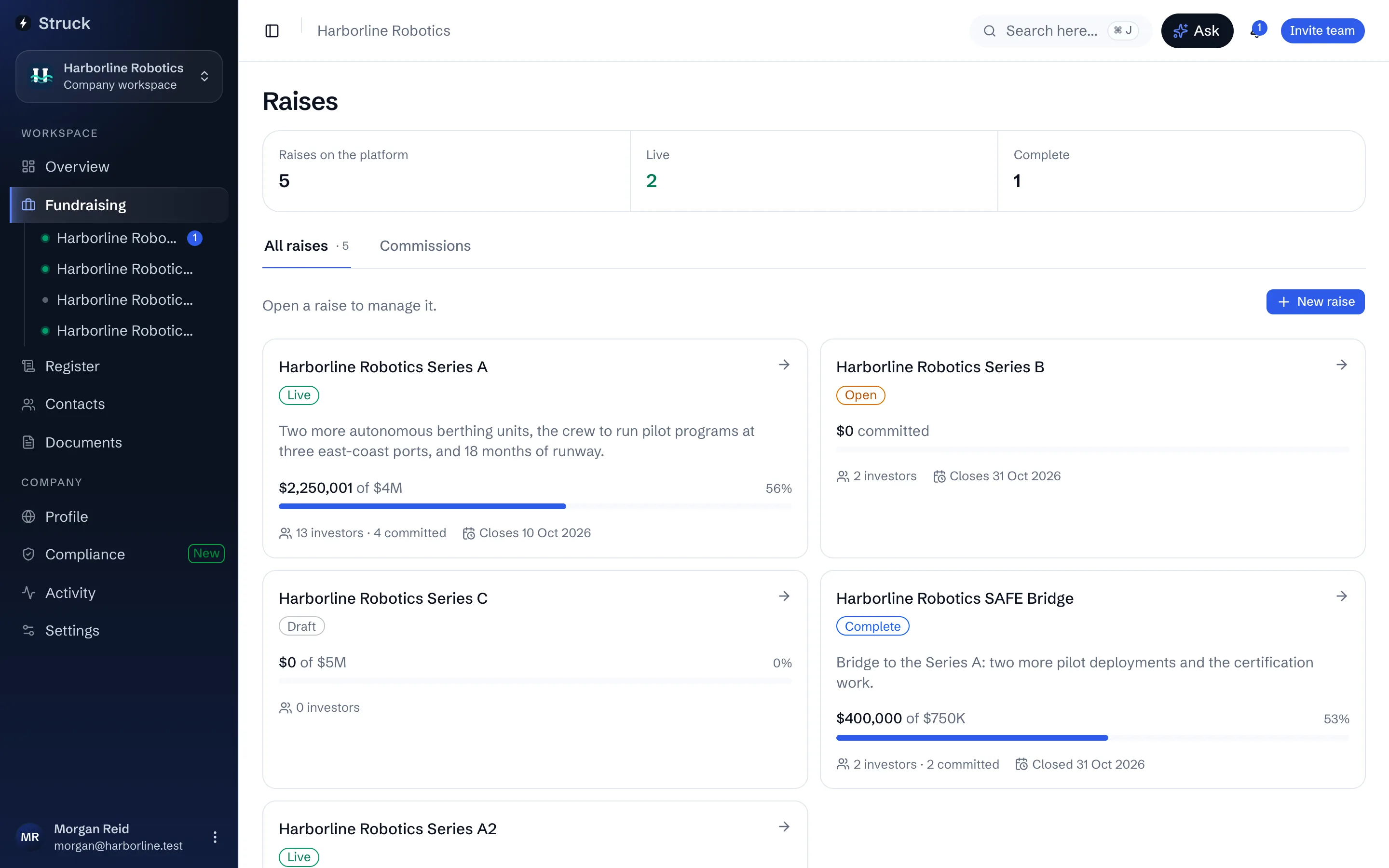
Start a new raise
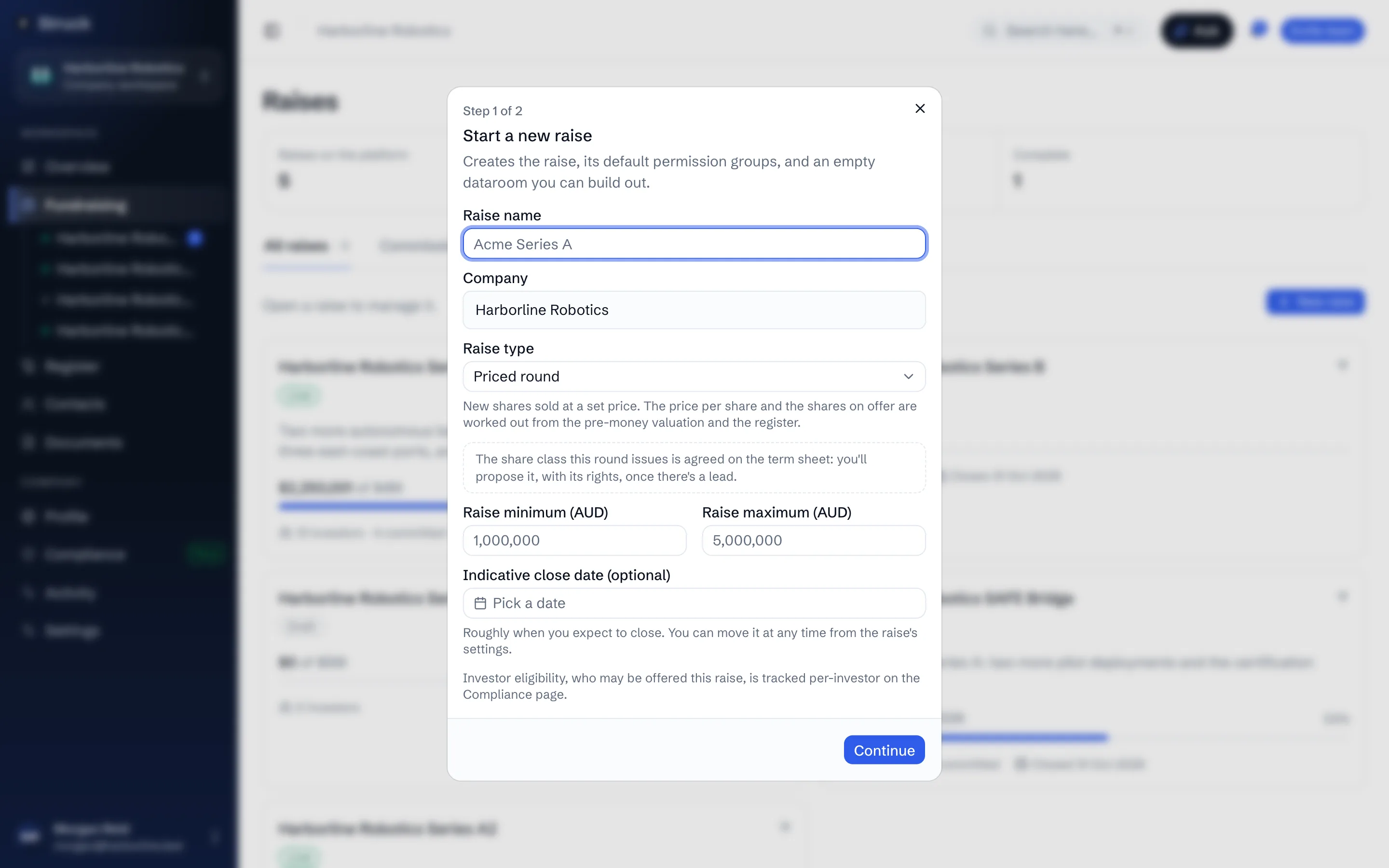
Press New raise. The dialog asks for a Raise name, confirms the Company, and takes the Raise type: ordinary or preference shares for a priced round, or a SAFE, a convertible note or options. Then the size in Australian dollars: the Raise target, the amount you're looking to raise, and optionally a Minimum to close, the least you'd close at, and an Indicative close date if you have one. A SAFE, convertible note or convertible debt also takes its Valuation cap, Discount and whether the cap is measured pre-money or post-money; you can leave them for Raise settings, but it needs a cap, a discount or both before it goes live.
Creating the raise also creates its default permission groups and an empty dataroom. Nothing is visible to any investor until you invite one.
Say where the term sheet stands
A priced round is anchored by a lead investor's term sheet, which sets the price everyone else comes in at. The second step asks whether you already have a signed term sheet with a lead. If you do, enter the lead, the pre-money valuation and the shares on offer and the raise goes live on those terms; if not, give a pre-money range and the lead's name if known, and the raise waits in draft until a term sheet is agreed. You can change the range, or swap it for one figure, in Raise settings until the lead submits a term sheet. A SAFE or note skips this: its cap and discount stand in for a price.
Use Raise steps as home base
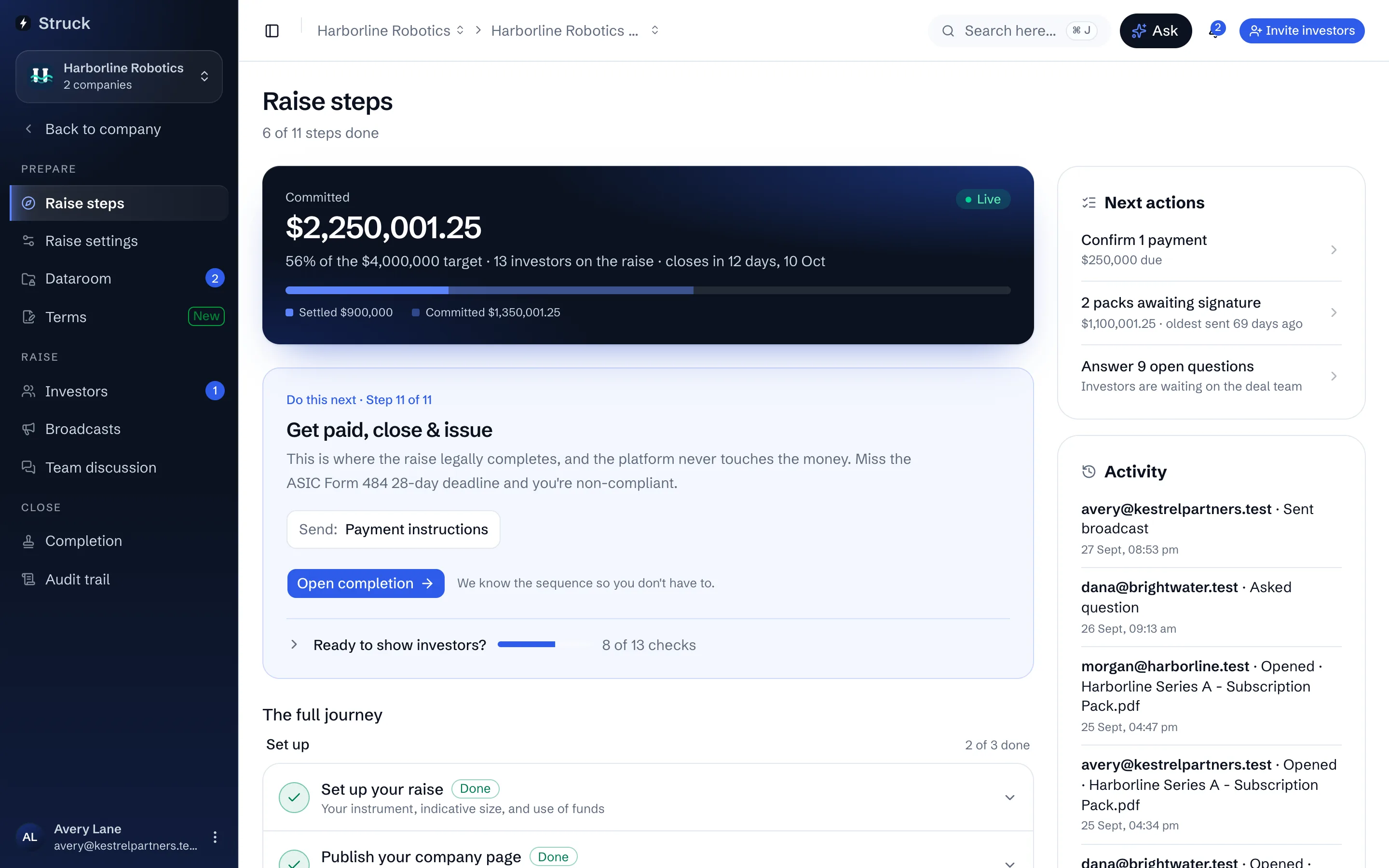
The new raise opens on Raise steps: every stage in order, from setting up and publishing the company page through the dataroom, the term sheet, outreach, qualification, allocation, signing, payment and completion, with exactly one suggested next step named at the top. Coming back to a raise later opens its Overview, which shows the money, what is waiting on you and how far through the steps you are, with Raise steps one click away.
Finish the terms in Raise settings
Raise settings holds the offer terms the rest of the raise draws on: the price per share or valuation cap, the minimum investment, the issuer details, and later the company signatories and receiving bank account. Ready to show investors, at the foot of Do this next on Raise steps, lists any term still missing, so you never have to guess what is left.
Read next
- Starting and finding raisesHow it works
- How a raise runs, start to finishHow it works
- The raise OverviewHow it works
- Instruments and termsHow it works
- Raise settings and advisorsHow it works