Guide, for the Deal team
Complete the raise and issue shares
Start the close, write the new holders onto the register with their certificates, and work the statutory checklist to the end.
Where: Raise hub, Completion
Start the close
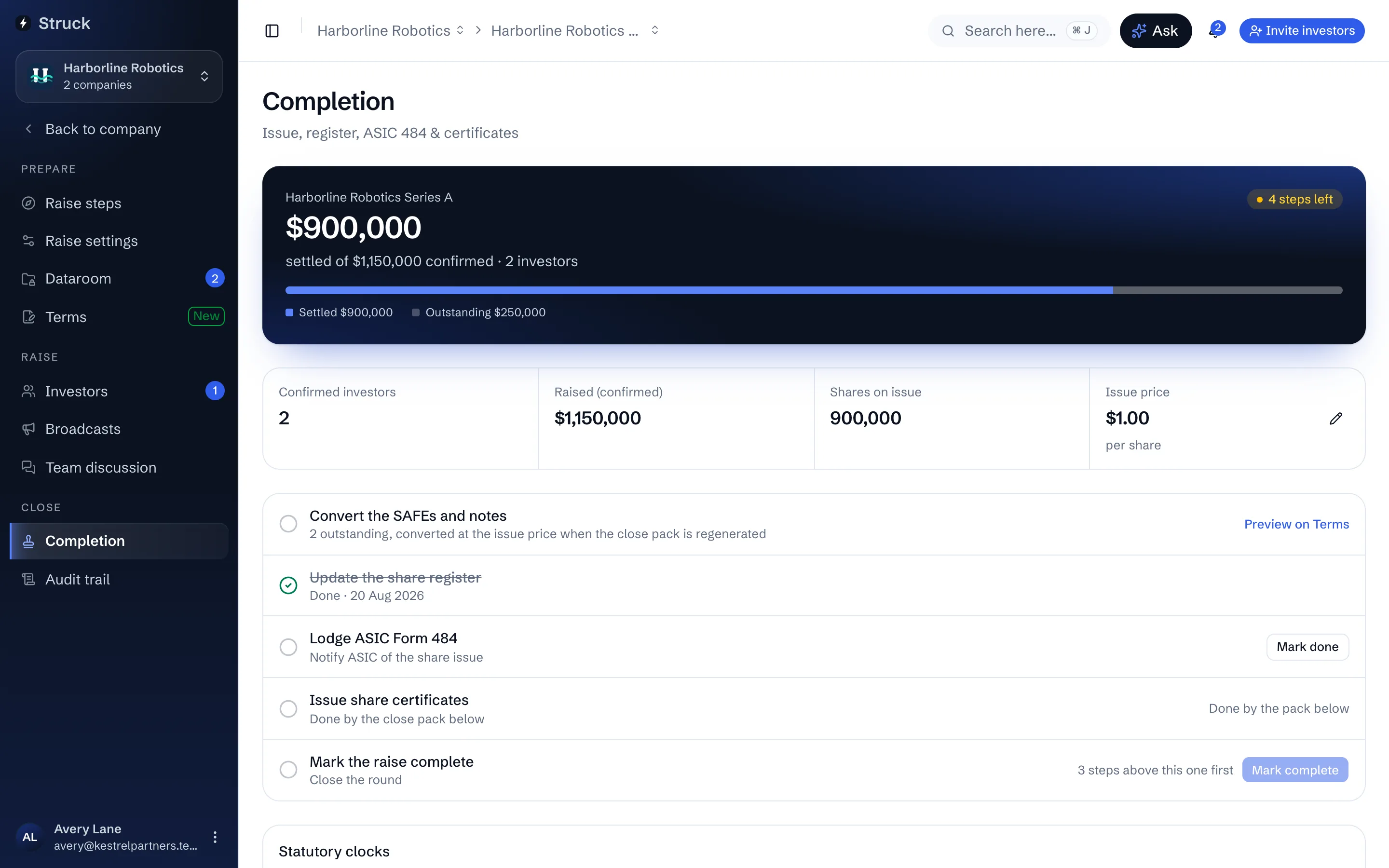
Completion waits until packs are countersigned and payments settle. Press Start the close. It sets the issue price from the raise's terms and opens the checklist. Nothing is written to the register until you generate the close pack.
Generate the close pack
Generate certificates and register lists every settled investor with their shares, percentage and amount. Confirming it writes those holders onto the company's register of members as an append-only entry and files a share certificate to each investor's own portal. The data is already there; nothing is re-keyed. Only settled investors are issued shares: anyone who has signed but not paid is listed under Waiting on payment and left out, because a certificate says its shares are fully paid. Once their payment is marked settled, Run the close pack again adds them, and everyone already issued keeps their certificate. If the close takes the company past the small-scale limits (20 non-exempt investors or $2M in 12 months), the pack says so and asks you to confirm the company has taken advice before it issues; that confirmation is recorded on the audit trail with your name.
Pass the board resolution
A board resolution to issue the shares is drafted from the allotment and linked from the Completion screen. Review it, circulate it to the directors and pass it under the company's Compliance hub, where the minute book keeps it. A share issue legally needs one.
Work the statutory clocks
Two dates run from the issue. ASIC Form 484 must be lodged within 28 days, and it is drafted from the register under Compliance, Filings; lodging it with ASIC is always the company's own act. Share certificates must be issued within two months of allotment, which the close pack has already done. Update the share register and Issue share certificates tick themselves when the close pack runs; tick Lodge ASIC Form 484 once it is lodged.
Mark the raise complete
Mark complete unlocks once the steps above are done, and says which one is outstanding until then. The dialog warns if anyone has paid but not been issued yet, or signed but not paid: an unpaid investor gets no shares, and payment reminders stop once the raise is complete. Confirming records the raise as finished and dates it today. Everyone on the raise, investors included, sees it as closed.
What each investor now has
Their shares appear under Holdings across every company they hold, with the certificate downloadable any time. The executed subscription pack and the certificate are filed automatically on their Documents screen. The company's register, its ledger and its year-end statements all carry the new parcels from here.
Read next
- Completion: issue, register and ASICHow it works
- The register of membersHow it works
- Company complianceHow it works
- Your holdingsHow it works